Tuesday, November 28, 2017

Creating a Surreal Collage in Photoshop

Take a look at Surrealism. Salvador Dali is one of the more famous surrealist painters, but the style has moved into photography as well.

Surrealism attempts to channel the unconscious as a means to unlock tghe power of dreams and imagination.

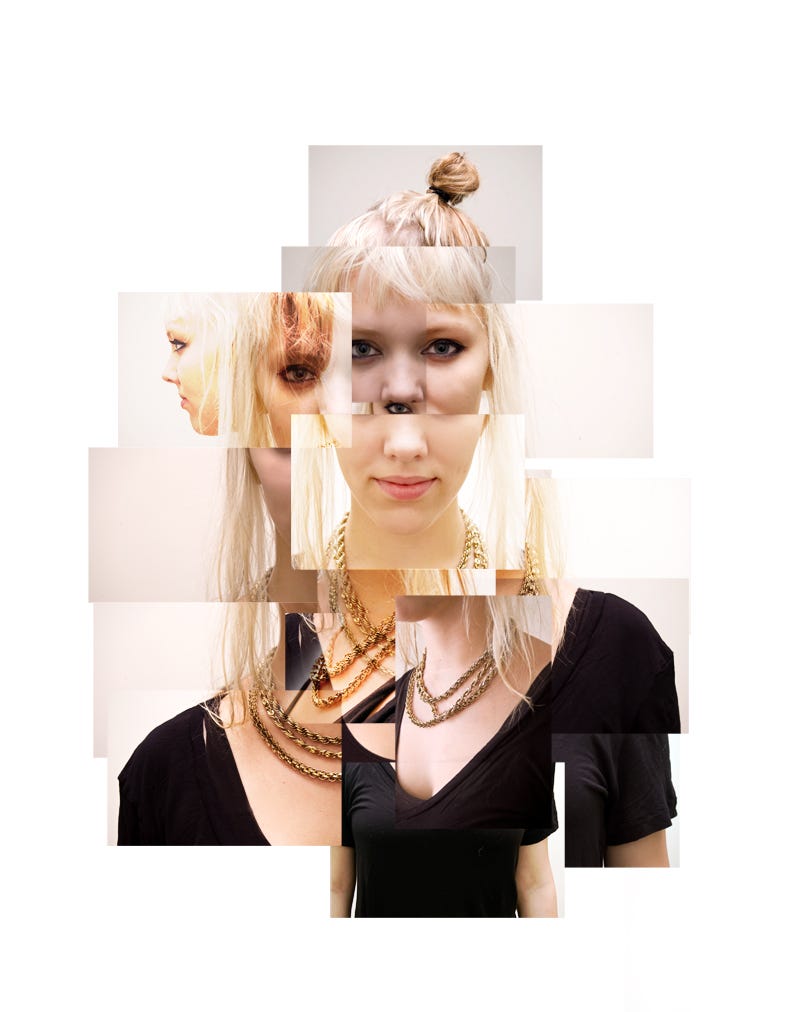
Next we will work on a collage in photoshop.
We'll make a collage with the photos in this post.
I will give step by step instructions in class.
Next time you will use your own photos to make a collage.

Download the pictures to your computer:


Thursday, November 2, 2017

Photoshop Text Effects

Today we'll have some fun with Text. First, I'll show you how to add images in text, it will end up looking something like this:


You can find the tutorial at this link:

Next, pick a text effect from the link below and follow the instructions to create one of your own.

 Save both pictures as jpeg files and post them to your blog titled "Photoshop Text Effects"

Wednesday, October 25, 2017

Current Ideas for Projects

Work on these three projects at your own pace over the next 2 weeks...

Lomography on the iphone

Choose a project from the Digital Photography Masterclass book and do it.

Find an advanced Photoshop technique, learn it, post it to your blog and teach it to the rest of the class.

Friday, September 22, 2017

Weekend Photo Assignment - Take a unique photo of an everyday activity

Unless your life is a neverending parade of excitement, you usually have to do regular, everyday things...go to the store, play putt putt, give the dog a bath, binge watch something on netflix.

Your assignment is to find some regular activity and capture it in a unique and interesting way. How do you do this?

Try these approaches:
Use interesting perspectives
Motion blur or depth of field
Capture values, lights and darks

Use these, or not....but also come up with your own ideas

Due Tuesday, Sept 26


Wednesday, September 20, 2017

Motion Blur Faces and Hands

Today you will take  creative photographs of faces and hands.

Use dramatic lighting setup to get lots of close up detail.

Pose the  hands in interesting positions. 

You can have 1, 2, 3, or as many hands in the picture as you want.

The hands can hold something or be doing some activity.

Focus on the hands only! 

Make sure that the background is either black or white..not distracting.

You can use deep or shallow depth of Field.

Tuesday, September 12, 2017

Create a Photo Portrait in the Cubist style

Today we will begin working on the Cubist photograph.

You will show a subject from multiple planes and points of view in a single cubist style image

First - Conduct research - What are the primary characteristics of cubism? How did artist David Hockney combine Photography and Cubism?

Second - Find Examples of Cubist portraiture, come up with ideas for creating your portrait.

Third - Take pictures of your subject from a variety of perspectives. Also take pictures to make an interesting background.

Fourth - Create an 11x11 300 dpi file in photoshop

Fifth - Use Selection Tools, Transform Tools, Layers, and Filters to develop your portrait.

Sixth - Continue to refine your artwork, we will discuss your progress as you work

Wednesday, September 6, 2017

Creating a Surreal Collage in Photoshop

Take a look at Surrealism.  Salvador Dali  is one of the more famous surrealist painters, but the style has moved into  photography  as well...